Your disk, as a folder you can read
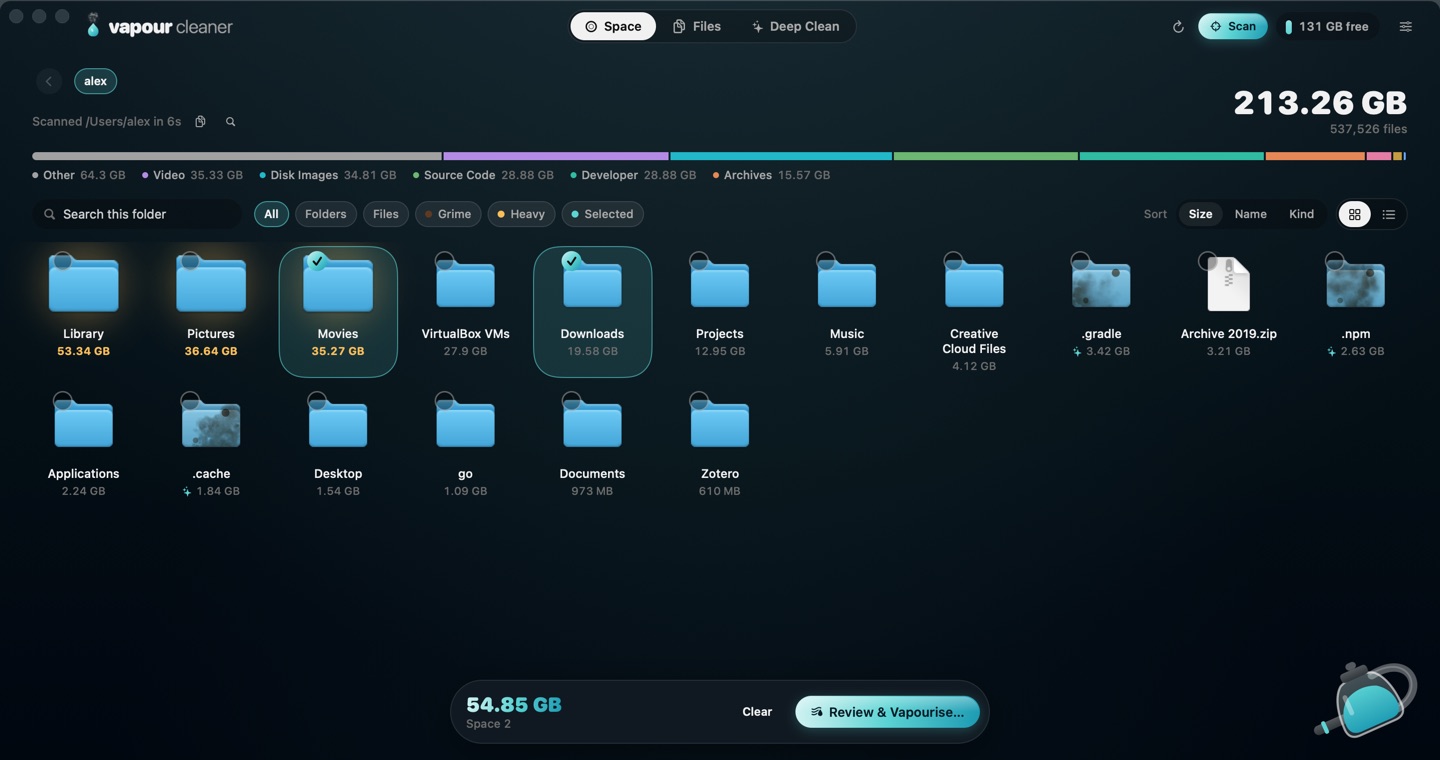
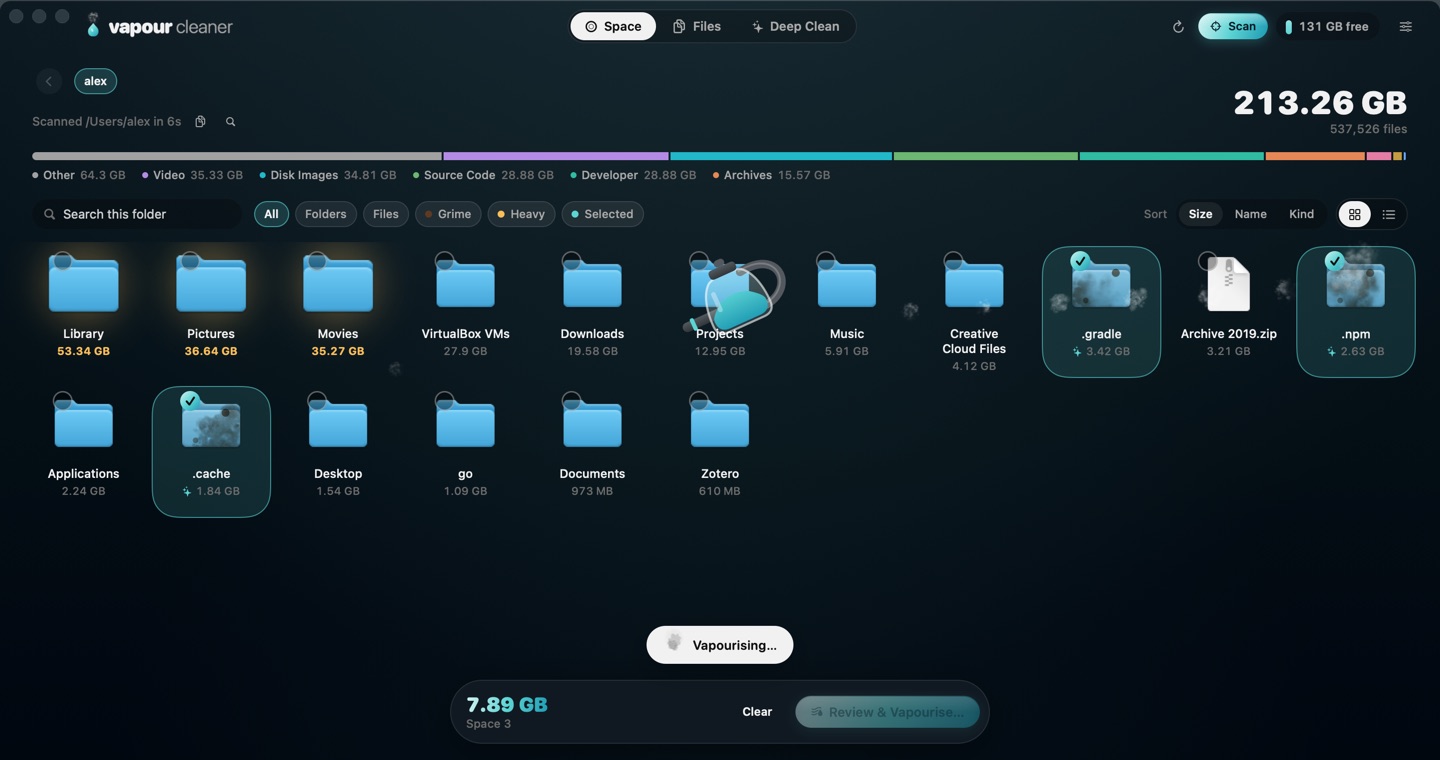
Space fills in live as it scans. The heaviest folders swell, build junk looks stained, and the steamer clears what you pick. Icons or list, search, filter and sort.
Vapour Cleaner shows what's eating your Mac's disk, marks what's safe to clear, and never touches what you can't get back.
What it does
A fast scanner with a calm, native interface. No account, no tracking, nothing leaves your Mac.
Space fills in live as it scans. The heaviest folders swell, build junk looks stained, and the steamer clears what you pick. Icons or list, search, filter and sort.
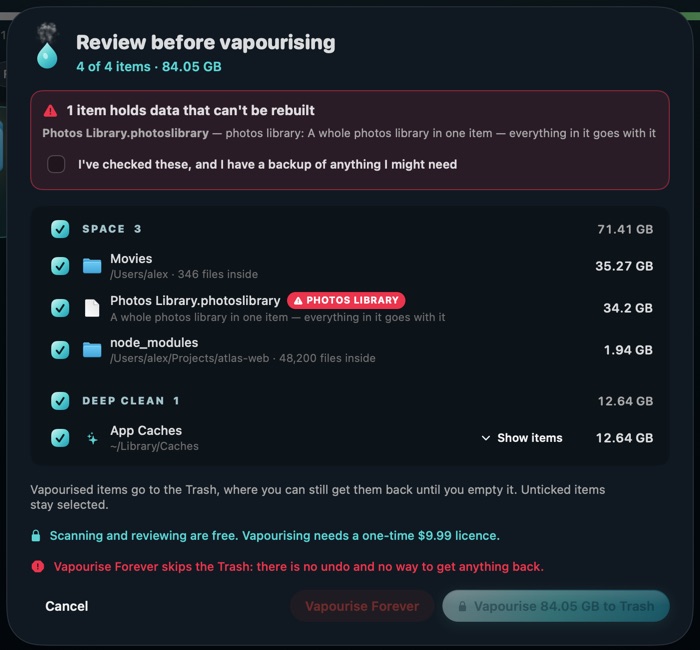
Pick across tabs, then review everything together. Untick anything. It all goes to the Trash first.
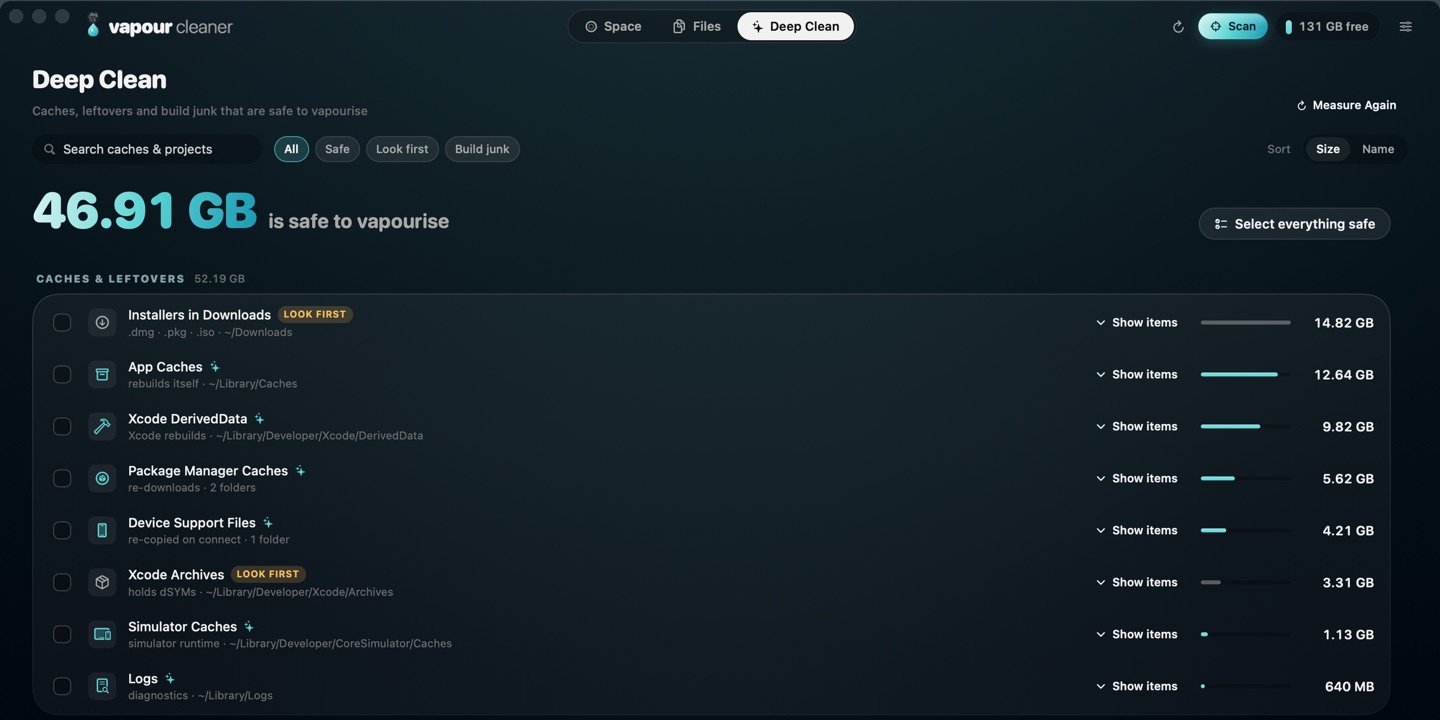
App caches, logs, Xcode data, package-manager caches and project build output. Every location opens to show exactly what's inside.
The heaviest files, the ones nobody has opened in a year, and byte-for-byte duplicates, keeping the newest copy.

App data, mail, iCloud Drive, photo libraries, VMs, keys and git repositories are flagged in red and need your explicit OK.
No account, no analytics, no network calls. Even the licence is checked offline.
Built in Swift for Apple Silicon and Intel. Opens folders with thousands of items without a stutter.
How it works
Pick your home folder, the whole disk, or any folder. Folders appear as they're found. Free.
Tick what you don't need anywhere in the app, then see it all in one list with paths and sizes.
The steamer clears it into the Trash. Changed your mind? It's still there until you empty it.
Safety
Every file and folder is rated using Apple's guidance and long-standing Mac practice before you ever see a Vapourise button.
Caches, logs, Xcode DerivedData, node_modules and other build output, package-manager caches.
Rebuilt automaticallyApple's own caches (left out of bulk cleaning), Xcode archives with crash symbols, installers.
Marked in amberApp data, Mail and Messages, iCloud Drive, photo and music libraries, VMs, Docker data, keys, git repos.
Needs your explicit OKmacOS system folders, Keychains, ~/.ssh, ~/.gnupg, your home folder and its main folders.
Always skippedOne price, no subscription
$0.99
once, for good
Secure checkout by Stripe. Already bought? Get your key again.
It's built not to. System folders, your keychains and keys, and your home folder's main folders are never removed. Anything holding data that can't be rebuilt is flagged in red and needs an explicit "I have a backup" confirmation. Everything goes to the Trash first unless you choose Vapourise Forever. Keep a Time Machine backup, as you always should.
No. The app makes no network requests, and your licence is checked offline. See the privacy policy.
macOS hides some folders, like Mail or other apps' caches, unless you allow it. Without it Vapour Cleaner still works, but it can't see everything.
Any Mac with macOS 15 Sequoia or later, Apple Silicon or Intel.
Enter your purchase email on the recovery page and we'll send it again.
Scan free and see what you'd get back. Clean for $0.99, once.